Chat
Fast messaging right where you work — no new tab.
- Private chats and groups
- Voice notes, replies, reactions, polls
- Badge on the icon, even when the window is closed
- PIN-locked conversations
 DenCloud
Chat + Cloud
DenCloud opens from your Chrome toolbar on any site. Talk to people and groups, and keep your files in your own cloud — with folders, link sharing and optional encryption.
Free to start. Sign in with your Google account, no password needed.
The window opens on any site. Your conversations and files are right there.
Usually chat lives in one app and files in another. In DenCloud they live together and are connected.
Fast messaging right where you work — no new tab.
Your personal file storage — in the extension and in the browser.
A file you get in a chat goes to your cloud in one click, and anything in your cloud can be sent to any conversation without uploading again.
Flip through and see what DenCloud really looks like. Every screen is taken from the extension.
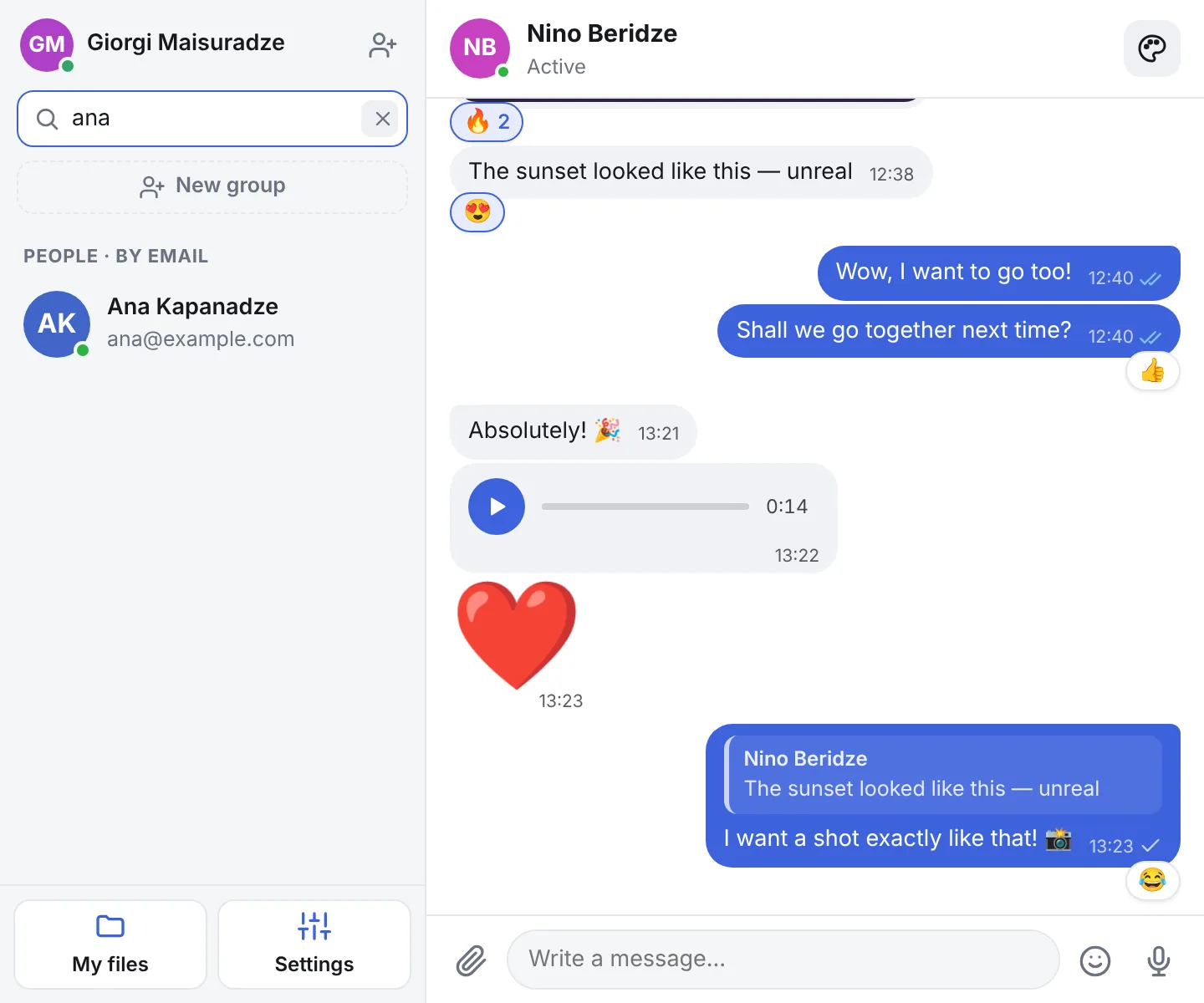
The window opens from the toolbar icon, without leaving the page. Older messages load as you scroll up.
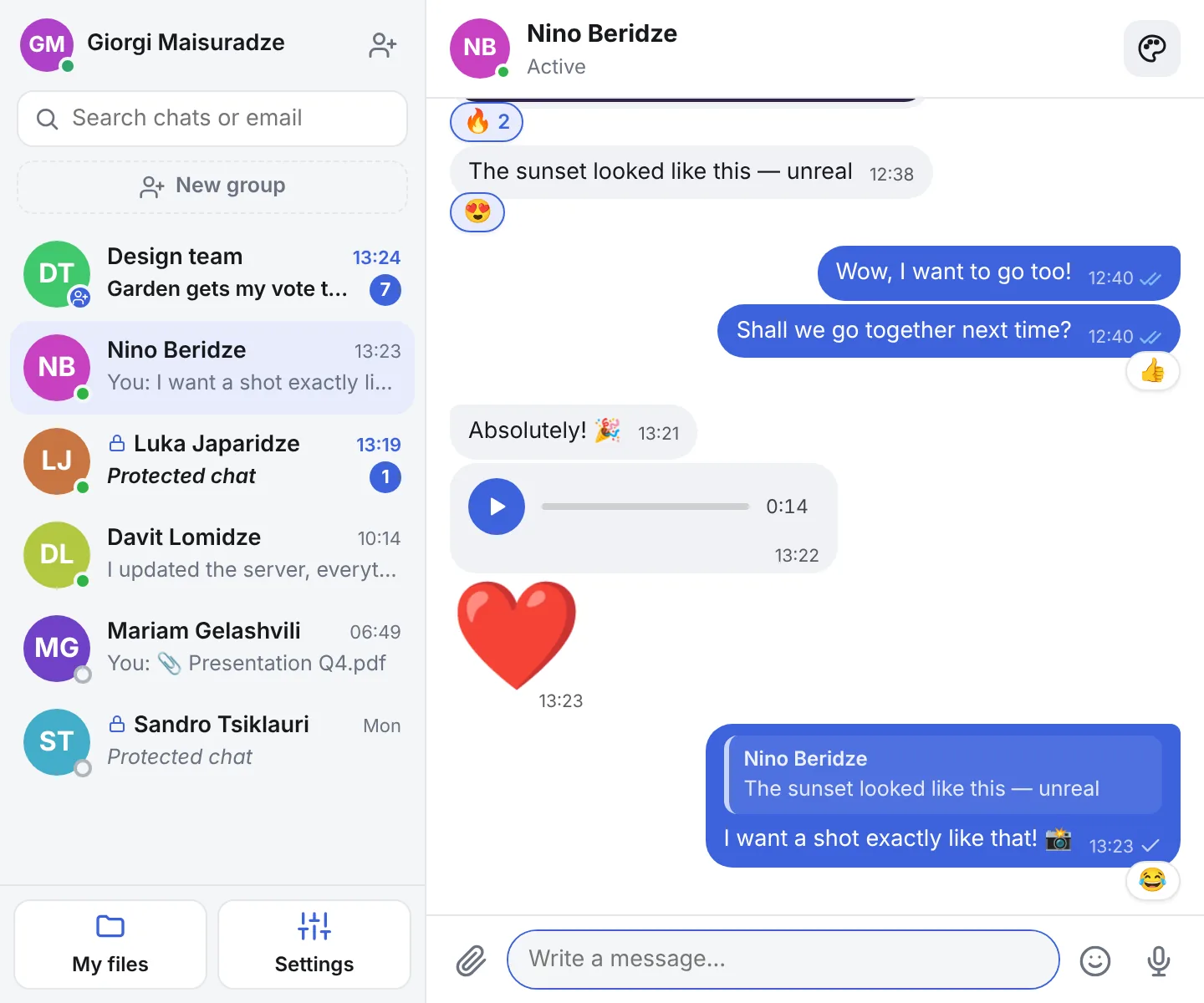
Reply to a specific message with a quote, or react with one click.
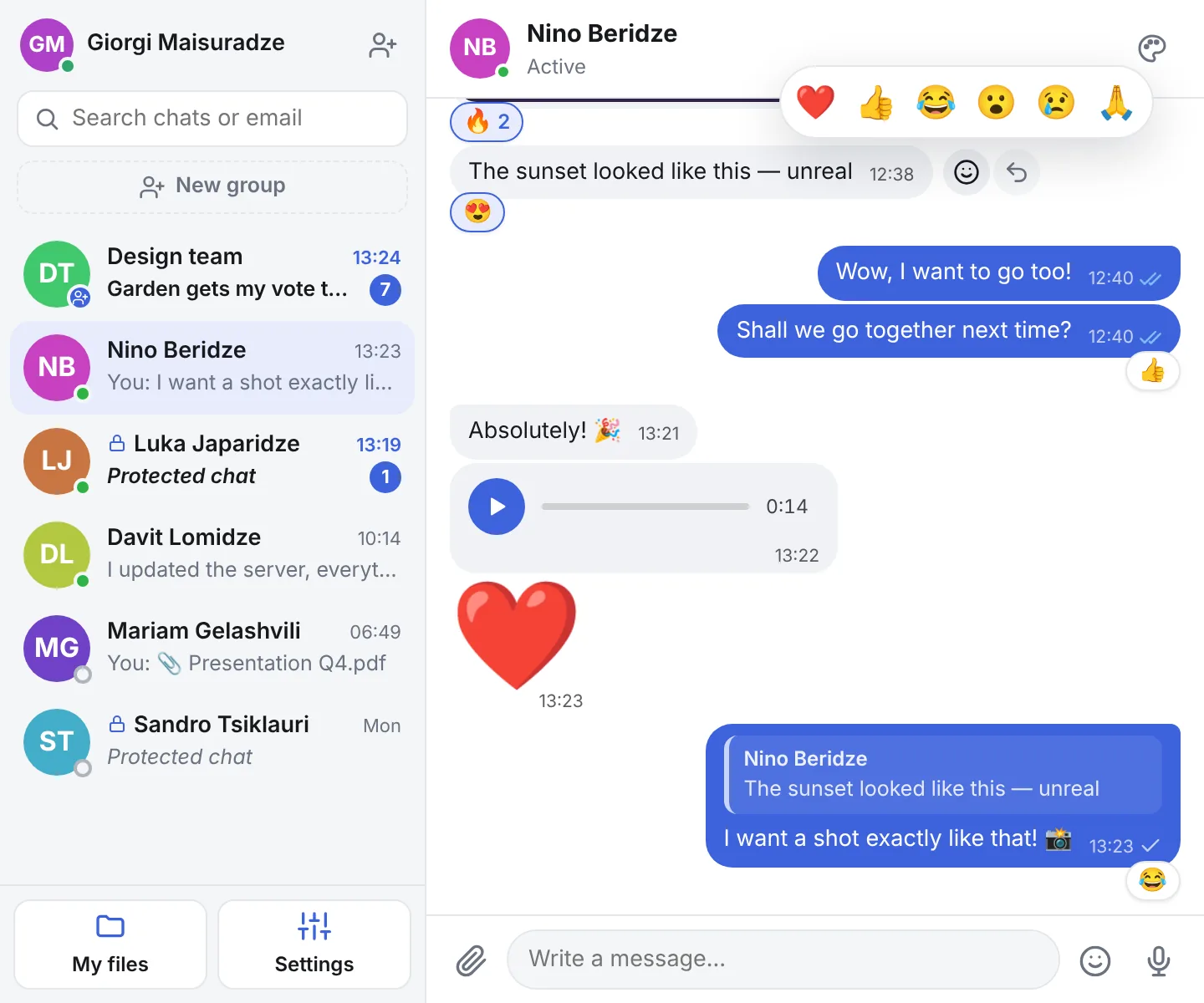
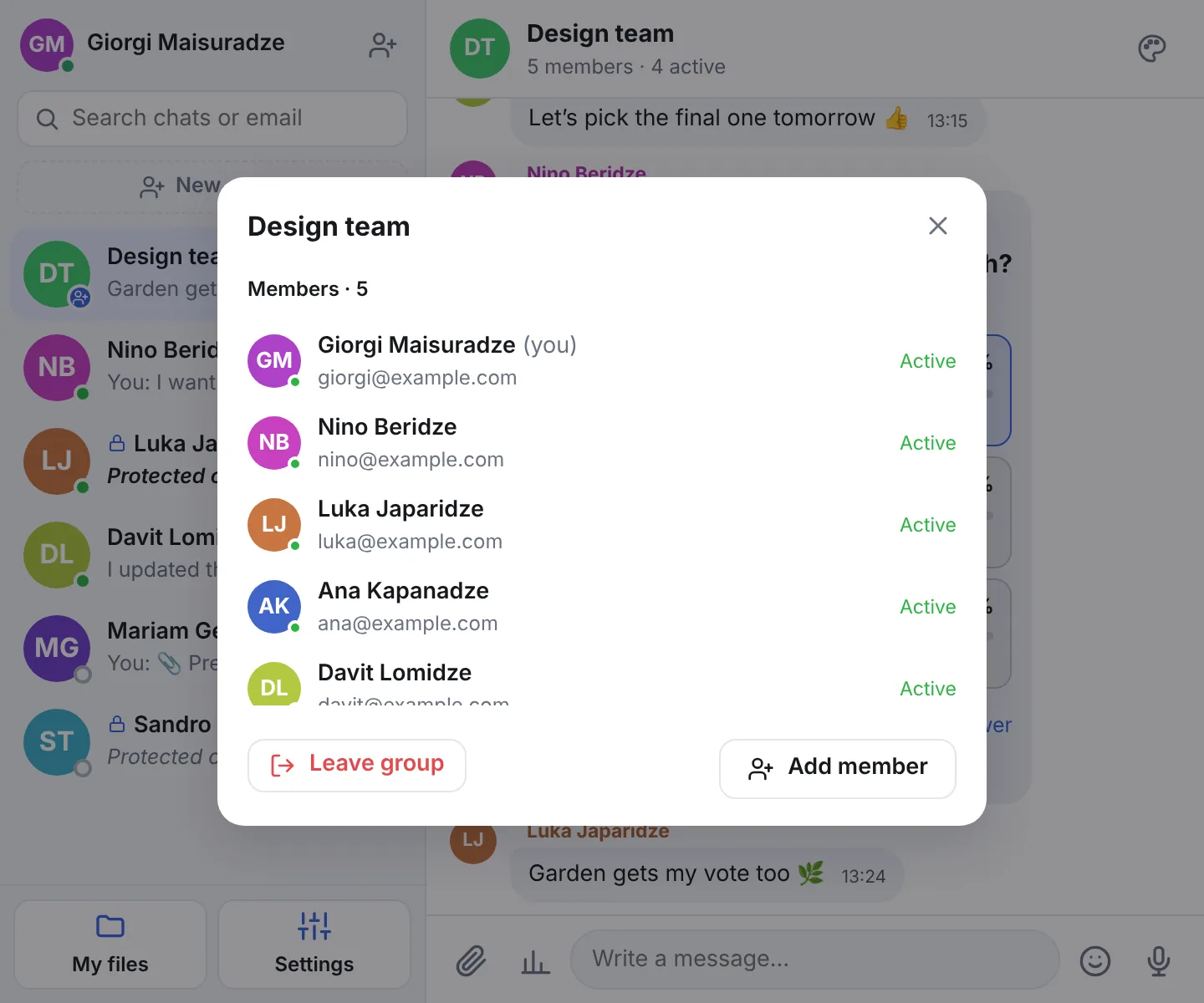
Create a group, add members at any time and see who is online.
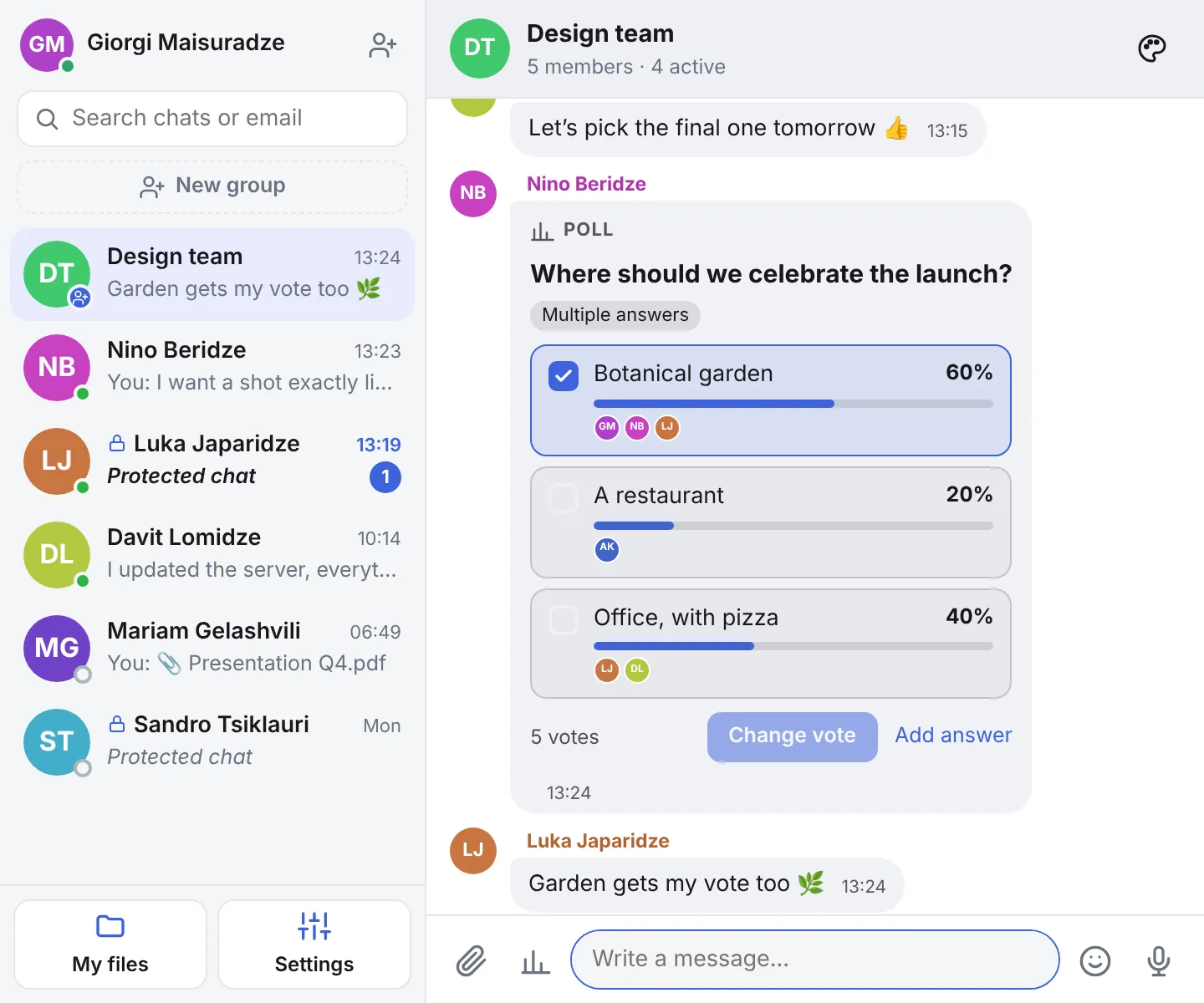
Ask the group and watch the results come in live. You decide what members can do when you create it.
Type an email and start the conversation. Search also filters your chats by name.
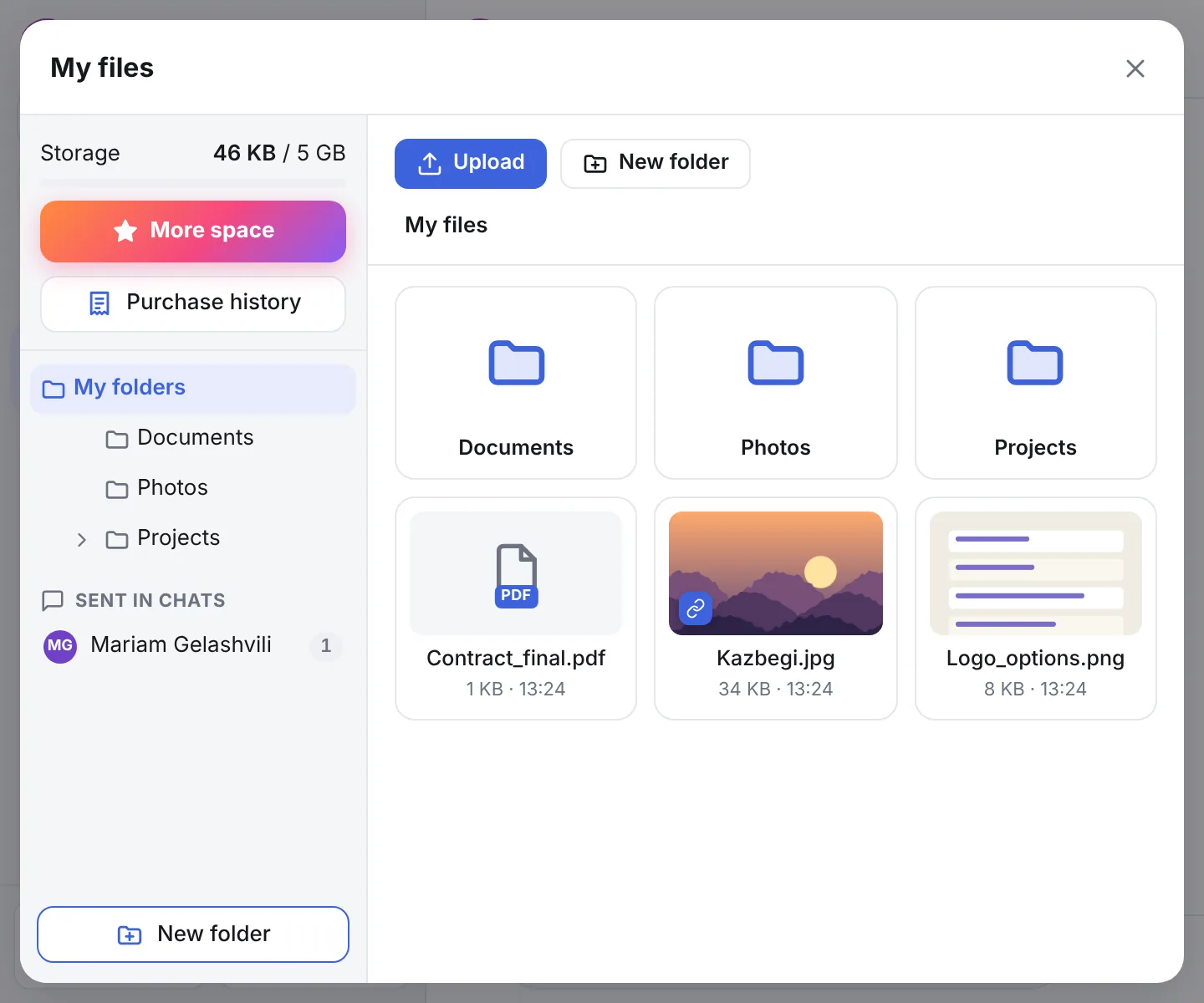
Personal storage with folders: upload, organize and send to any chat in one click.
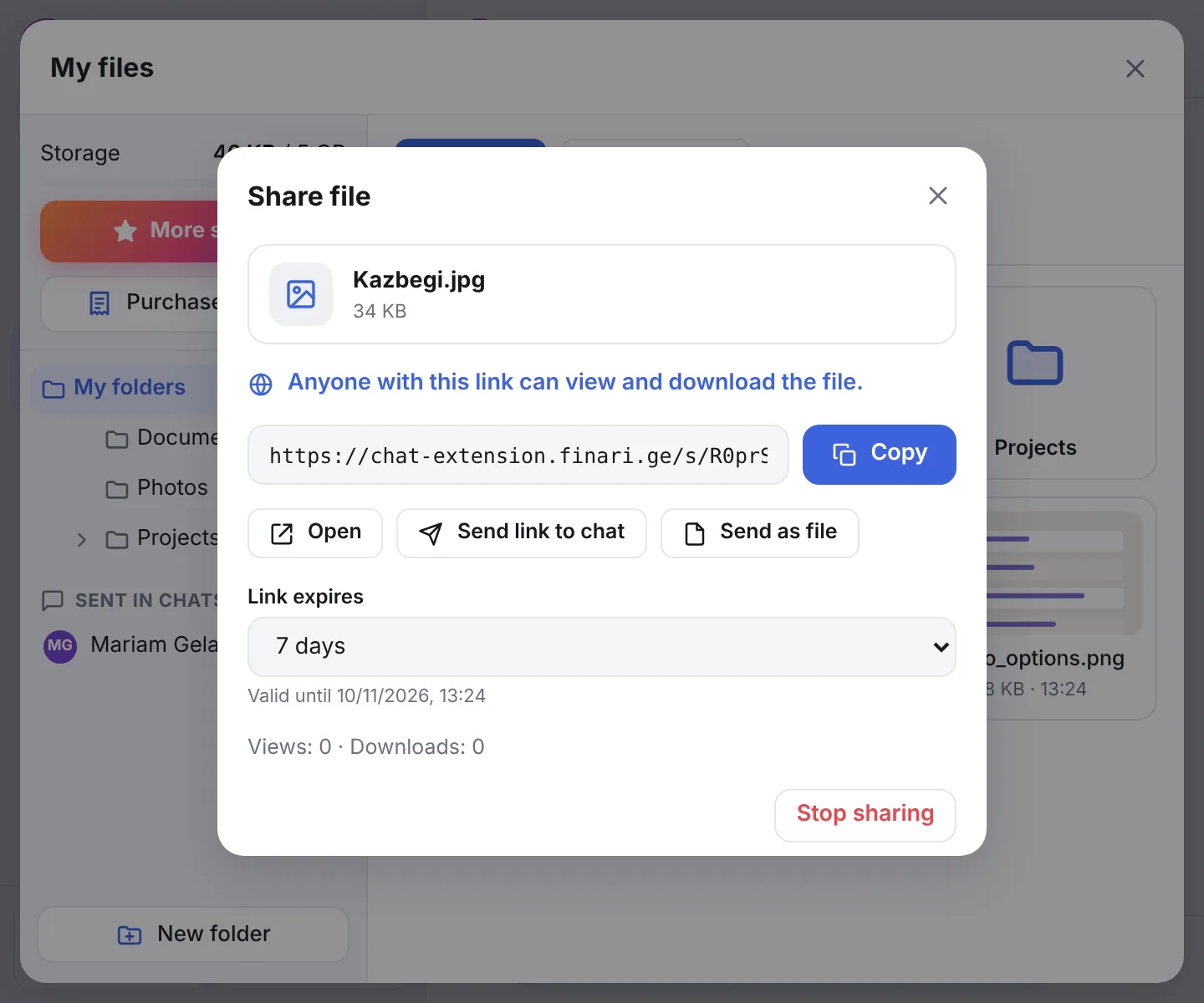
Files stay private until you decide otherwise. Create a link — anyone you send it to can open and download the file in a browser, no DenCloud needed.
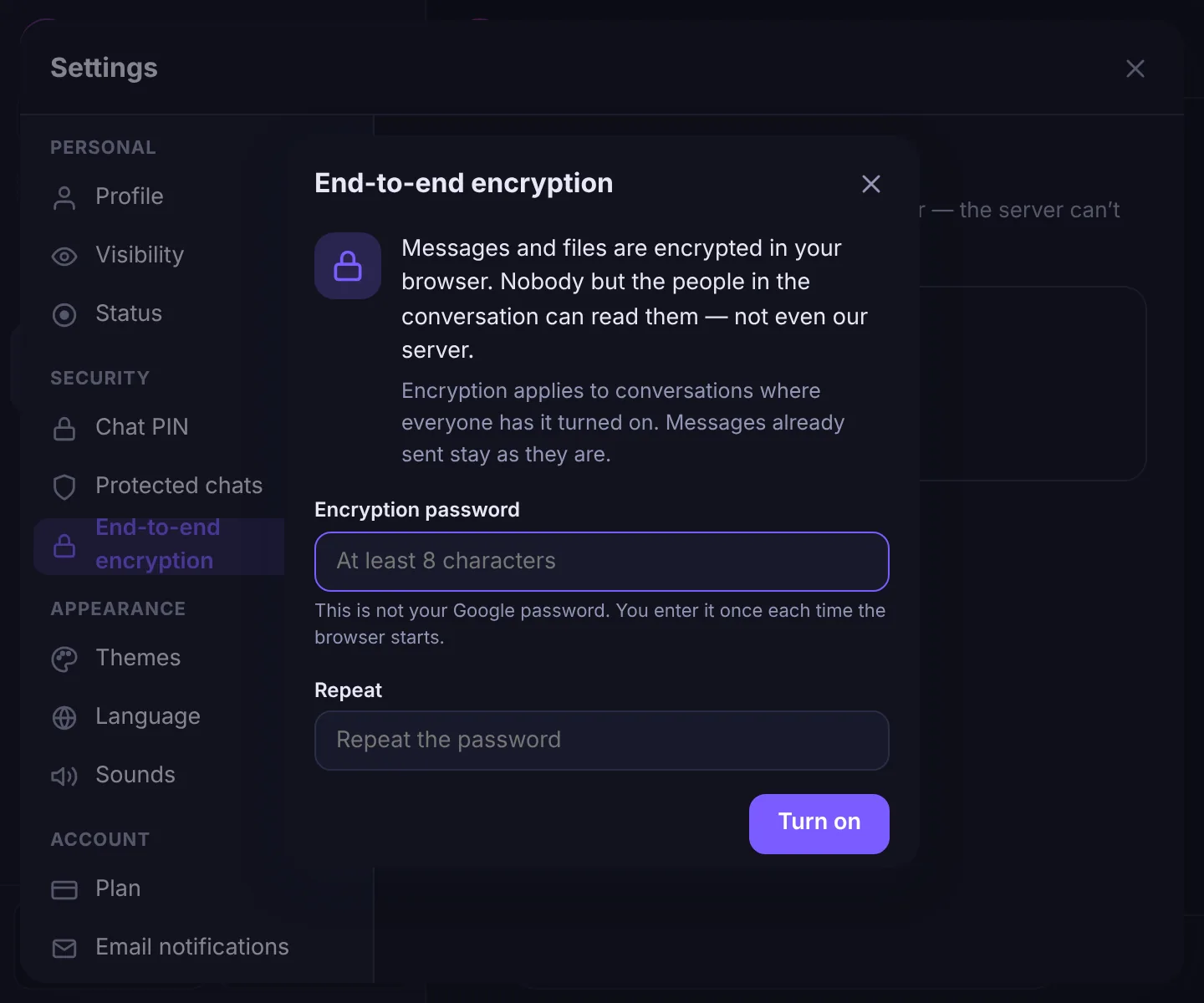
Turn it on with a password and messages, files and voice notes are encrypted right in your browser.
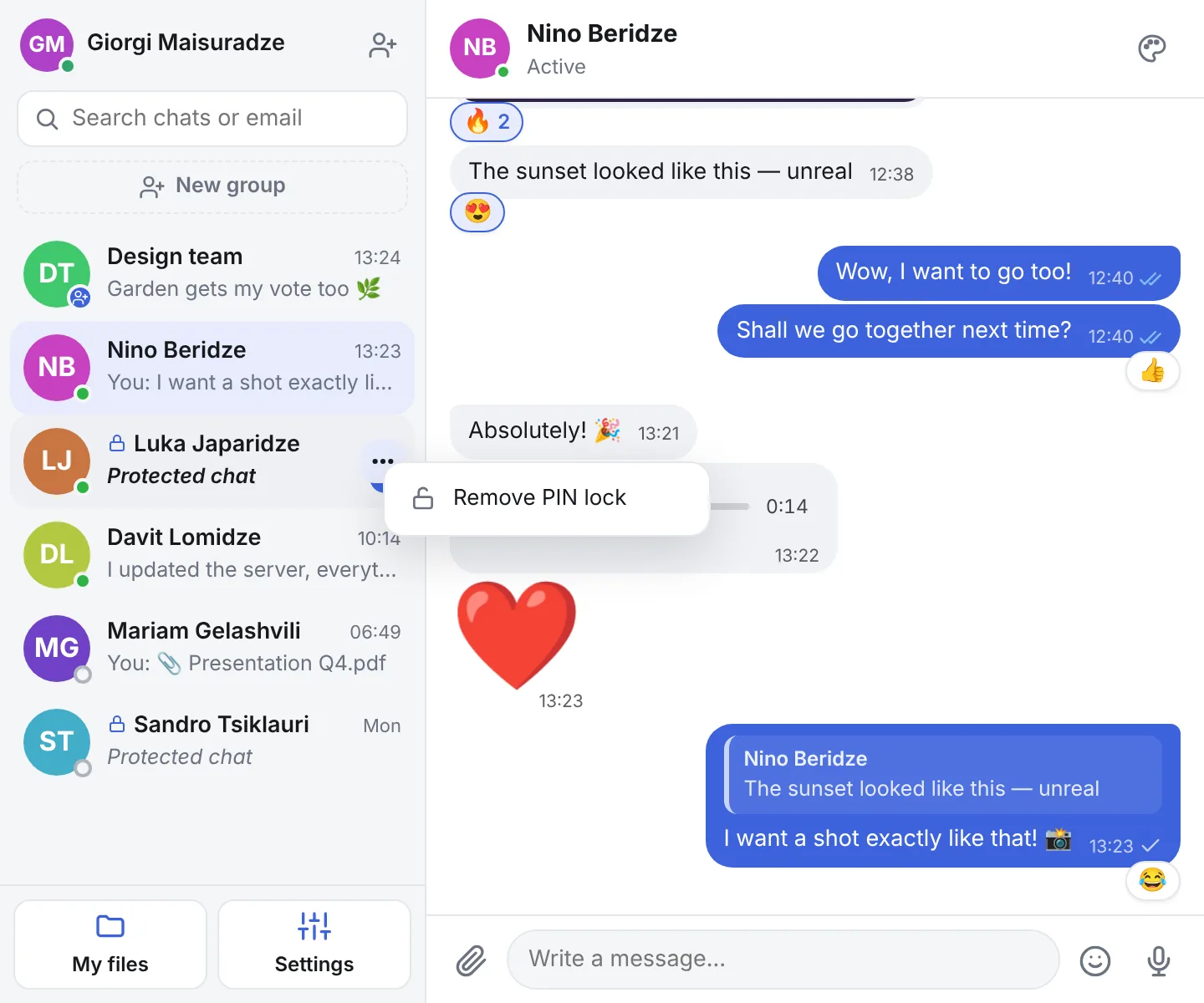
Protect individual chats: their content is hidden in the list and the PIN is asked when you open them.
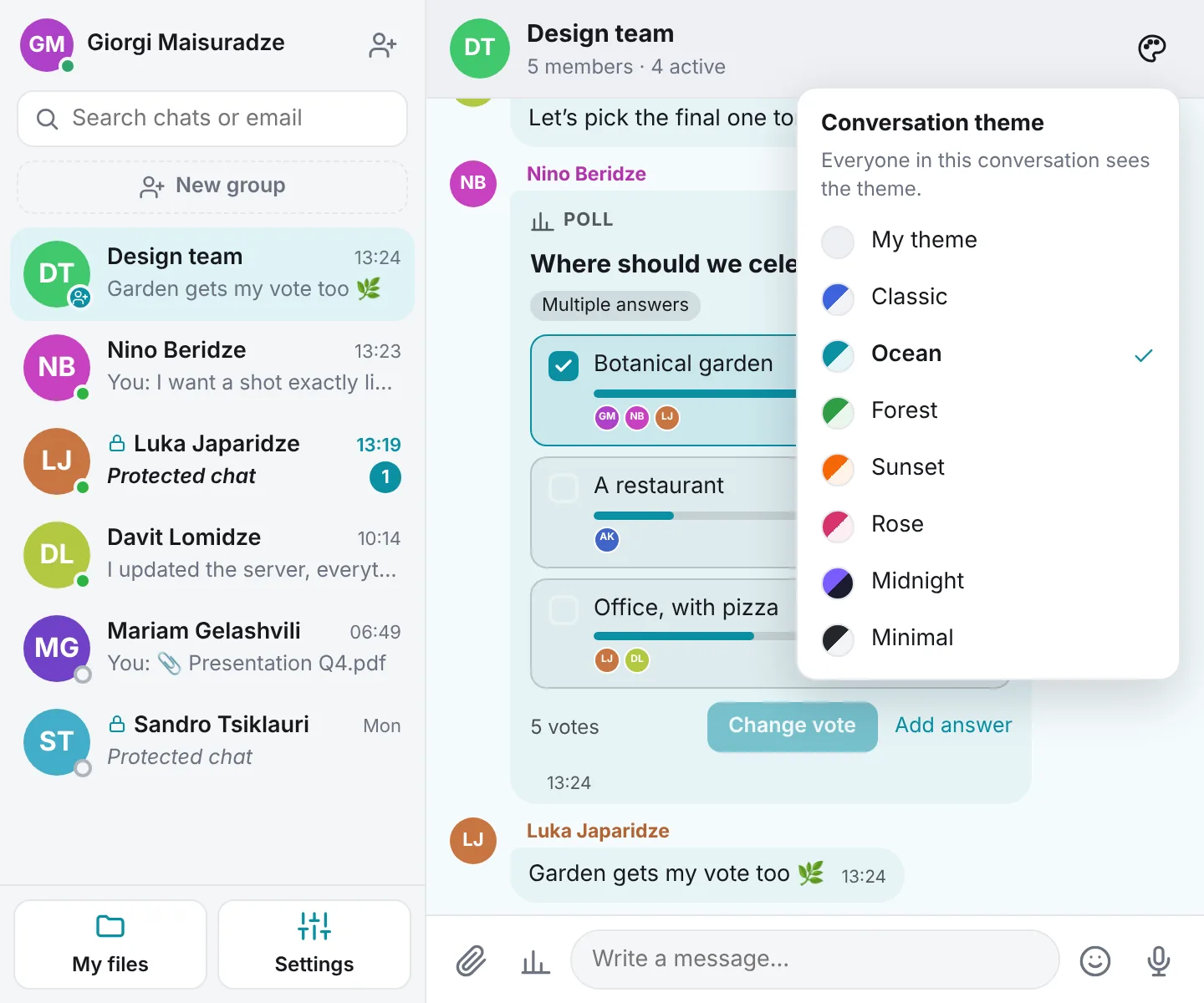
Pick a color for the conversation — every participant sees it. 7 themes, including a dark one.
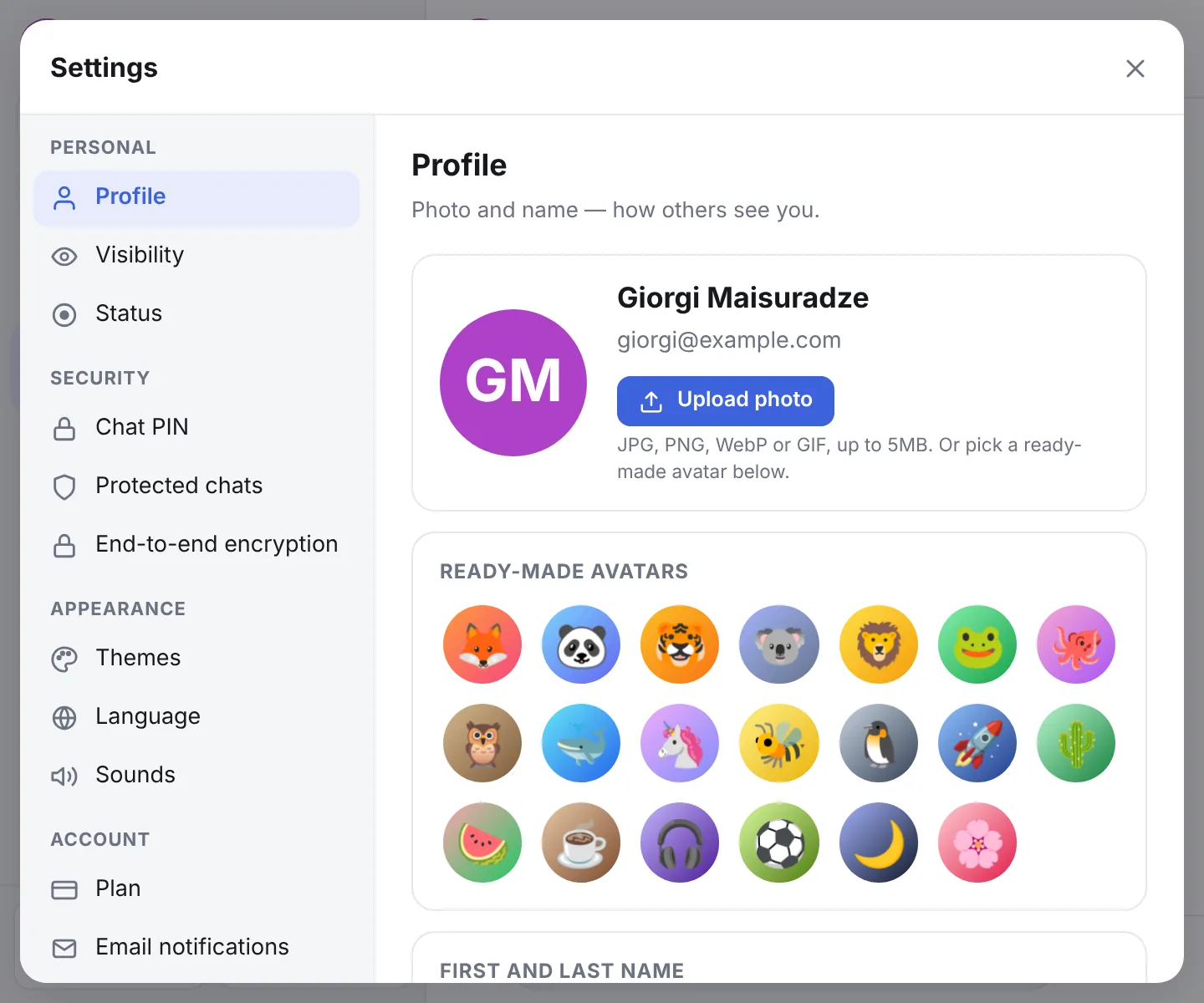
Every setting lives in one window, in four groups: personal, security, appearance and account.
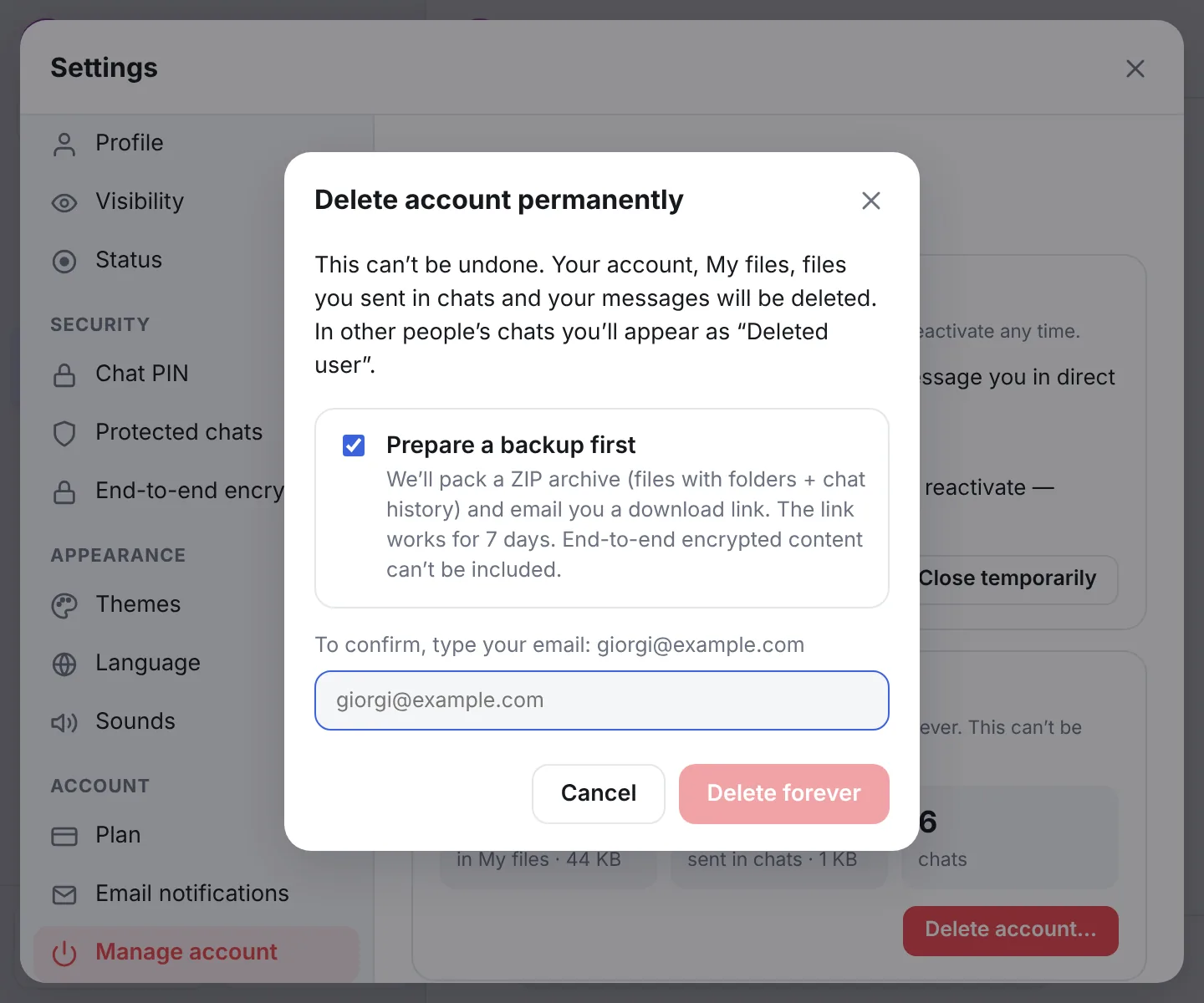
Close your account for a while or delete it completely. Before deletion you get your files and chats as a ZIP archive.
Every feature is free. Paid plans only raise storage and file limits.
Find someone by their exact email and say hello first. Their name is shown in the conversation.
Create a group with several people and add new members at any time.
Reply to a specific message with a quote or add an emoji reaction in one click.
Record and send when you don’t feel like typing. The microphone is on only while you record.
Ask the group: single or multiple choice, anonymous or open, with or without a deadline. Results update live.
Contacts see whether you are active, idle or offline. Hide it if you like — even from search.
A short sound and a counter on the icon for new messages, even when the window is closed. The sound can be turned off.
Pick a color for a conversation — everyone in it sees the same theme. 7 themes, including a dark one.
Personal storage with folders. Files you sent in chats are here too, sorted by person.
Send a file with a button or drag it into the chat. Files upload straight to the cloud, so even big ones go fast.
Share any of your files with a public link — it opens and downloads in any browser. Stop sharing whenever you want.
My Files opens in any browser, no extension needed — with the same Google account.
Turn it on with a password and messages, files and voice notes are encrypted in your browser. Not even the server can read them.
Lock individual chats with a PIN and manage them all from one list in Settings. Forgot it? Get a one-time code by email.
Pick one of 20 ready-made avatars or upload your own photo. Change your name whenever you like.
The interface speaks Georgian, English and Russian. Switch languages in Settings with one click.
Close your account temporarily or delete it for good. Before deletion you get all your files and chats as a ZIP archive.
“My files” is your personal storage. Keep the things you need often and send them to any conversation without uploading again.
Save a file you received in a chat with one button. If encryption is on, it stays encrypted in storage too.
Files you sent in chats show up here too, in folders named after each person. Delete one and it disappears from the chat as well, freeing up space.
Files are private until you share a link. Give the link an expiry date or turn it off at any time.
My Files also opens in any browser, without the extension: sign in with the same Google account to upload, download and manage your plan. Open in the browser →
How much space you get depends on your plan.
Encryption is optional. Turn it on in settings, set a password and get a recovery code. When everyone in a conversation has it on, the conversation is encrypted automatically.
mc1.Qm9yZGVyLXdheS…7hK2pXv0cFZ3nRqY8tLw1aE9uJsD4bGmOiP6xNzV5kTr0yHf2Ue8lCq3WjA7dB1sMn==
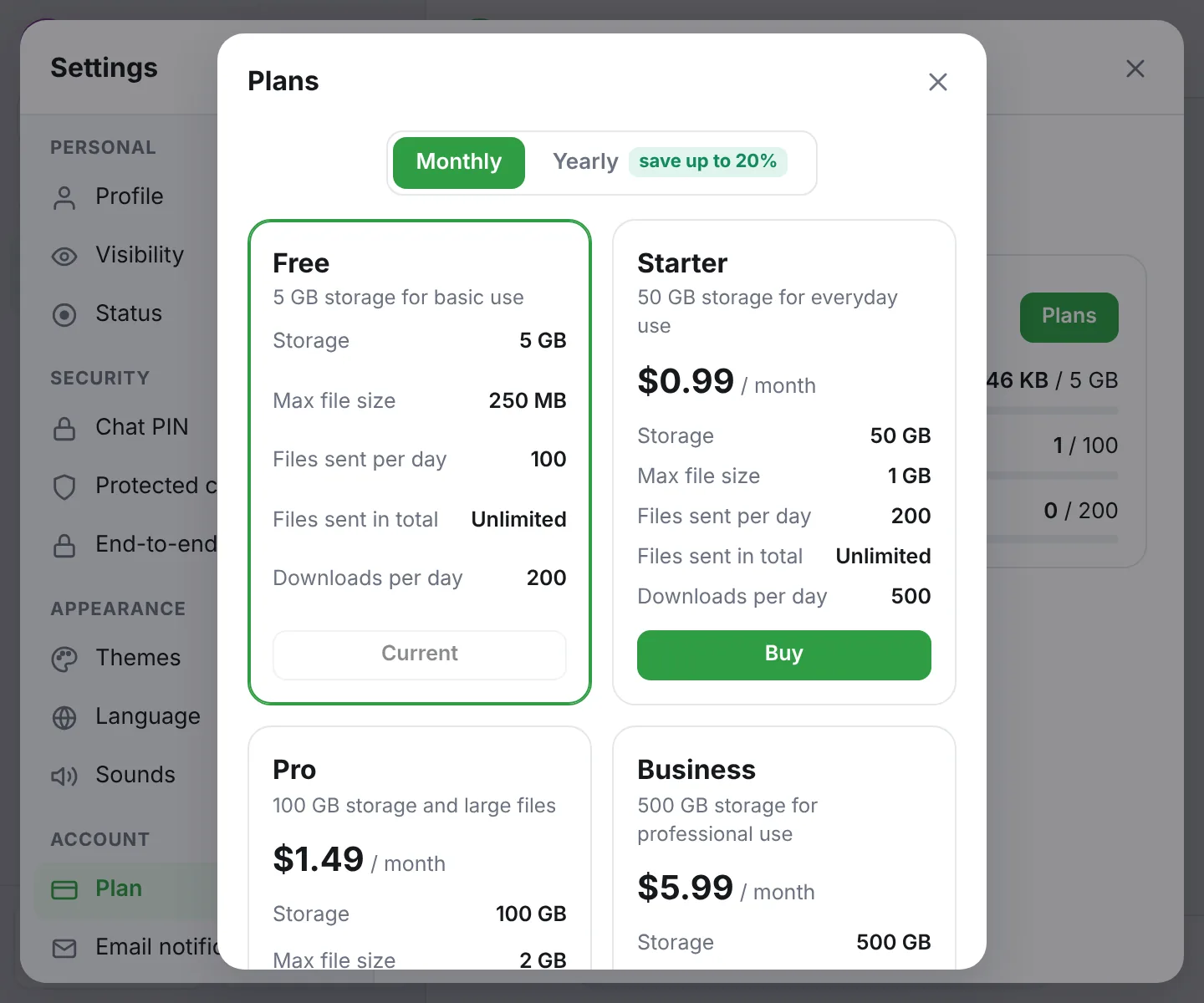
Every plan includes everything above. Only the file limits differ.
5 GB storage for basic use
Free
Yours automatically when you sign in.
50 GB storage for everyday use
$0.99 / month
$11.88 / year
$0.99 per month
Monthly subscription. Start and cancel it from the extension settings. Prepaid for 1 year — the plan is active right away for 12 months. Start and cancel it from the extension settings.
100 GB storage and large files
$1.49 / month
$17.88 / year
$1.49 per month
Monthly subscription. Start and cancel it from the extension settings. Prepaid for 1 year — the plan is active right away for 12 months. Start and cancel it from the extension settings.
500 GB storage for professional use
$5.99 / month
$71.88 / year
$5.99 per month
Monthly subscription. Start and cancel it from the extension settings. Prepaid for 1 year — the plan is active right away for 12 months. Start and cancel it from the extension settings.
Payments are processed by Paddle. Card details never reach us. If you cancel, your plan stays active until the end of the paid period. After that, files above the free plan limit are locked and deleted 7 days later — renew or free up space to keep them. Full refund within 14 days of payment.
DenCloud is a purely digital service: a Chrome extension and a web app for chat and online file storage. Paid plans are software subscriptions (SaaS) that raise your cloud storage and sending limits. No physical goods, hardware or shipping are involved.
Install DenCloud from the Chrome Web Store and pin the icon to the toolbar.
Click the icon, choose your Google account and accept the terms. No separate registration needed.
A short tour shows you around. Then message a friend or upload your first file to the cloud.
DenCloud does not read the sites you open, your browsing history or other tabs. It only works with your conversations and files.
Messages and files are visible only to the people in the conversation. We don’t sell data or use it for advertising.
Your data is yours: download a backup and delete your account at any time. If the terms change, we tell you first and ask you to agree again.